

- Dart 44.8%
- TypeScript 28%
- TypeScript-JSX 13.4%
- Yaml 10.1%
- Markdown 0.7%
- C++ 0.6%
- CSS 0.6%
- JSON 0.5%
- XML 0.4%
- SQL 0.4%
- Kotlin 0.2%
- C 0.2%
- Swift 0.1%
- Shell 0.1%
- HTML 0%
- Properties 0%

Anchor
An offline first, self hostable note taking application




Anchor focuses on speed, privacy, simplicity, and reliability across mobile and web. Notes are stored locally, editable offline, and synced across devices when online.
Features
- Rich Text Editor - Create and edit notes with powerful formatting (bold, italic, underline, headings, lists, checkboxes)
- Offline First - All edits work offline with local database
- Note Sharing - Share notes with other users (viewer or editor)
- Note History - Read earlier versions of a note and put one back
- Tags System - Organize notes with custom tags and colors
- Attachments - Attach images and audio to notes
- Note Backgrounds - Customize notes with solid colors and patterns
- Pin Notes - Pin important notes for quick access
- Archive Notes - Archive notes for later reference
- Reminders - Set a time on any note and get a notification on your phone, once or repeating
- Search - Search notes locally by title or content
- Trash - Soft delete notes with recovery period
- Automatic Sync - Sync changes across devices when online
- Import & Export - Back up your full library, or move notes in and out as plain Markdown
- Home Screen Widget - Quick access to your notes from the Android home screen
- Admin Panel - User management, registration control, and system statistics
- OIDC Authentication - Sign in with OpenID Connect providers (Pocket ID, Authelia, Keycloak, etc.)
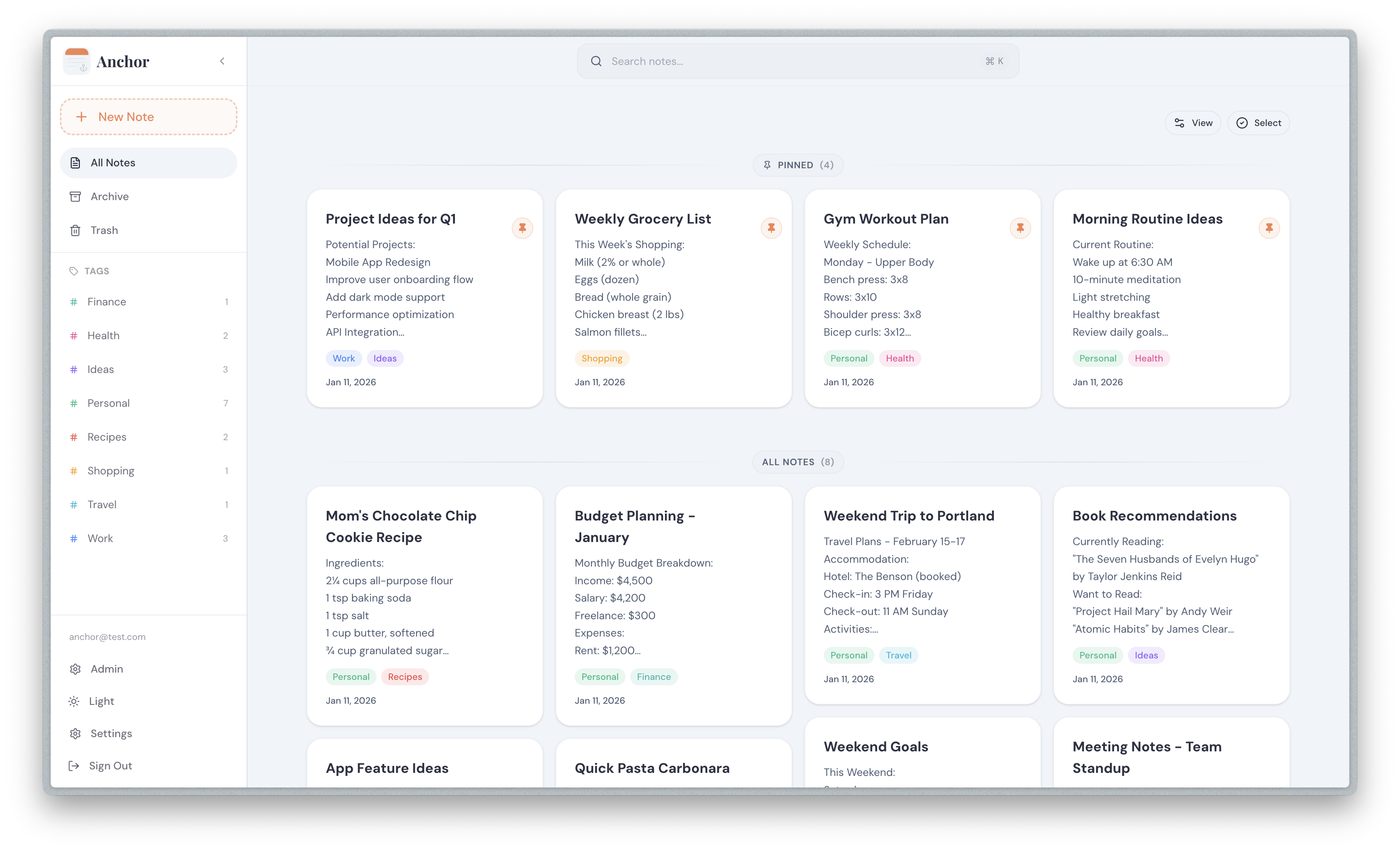
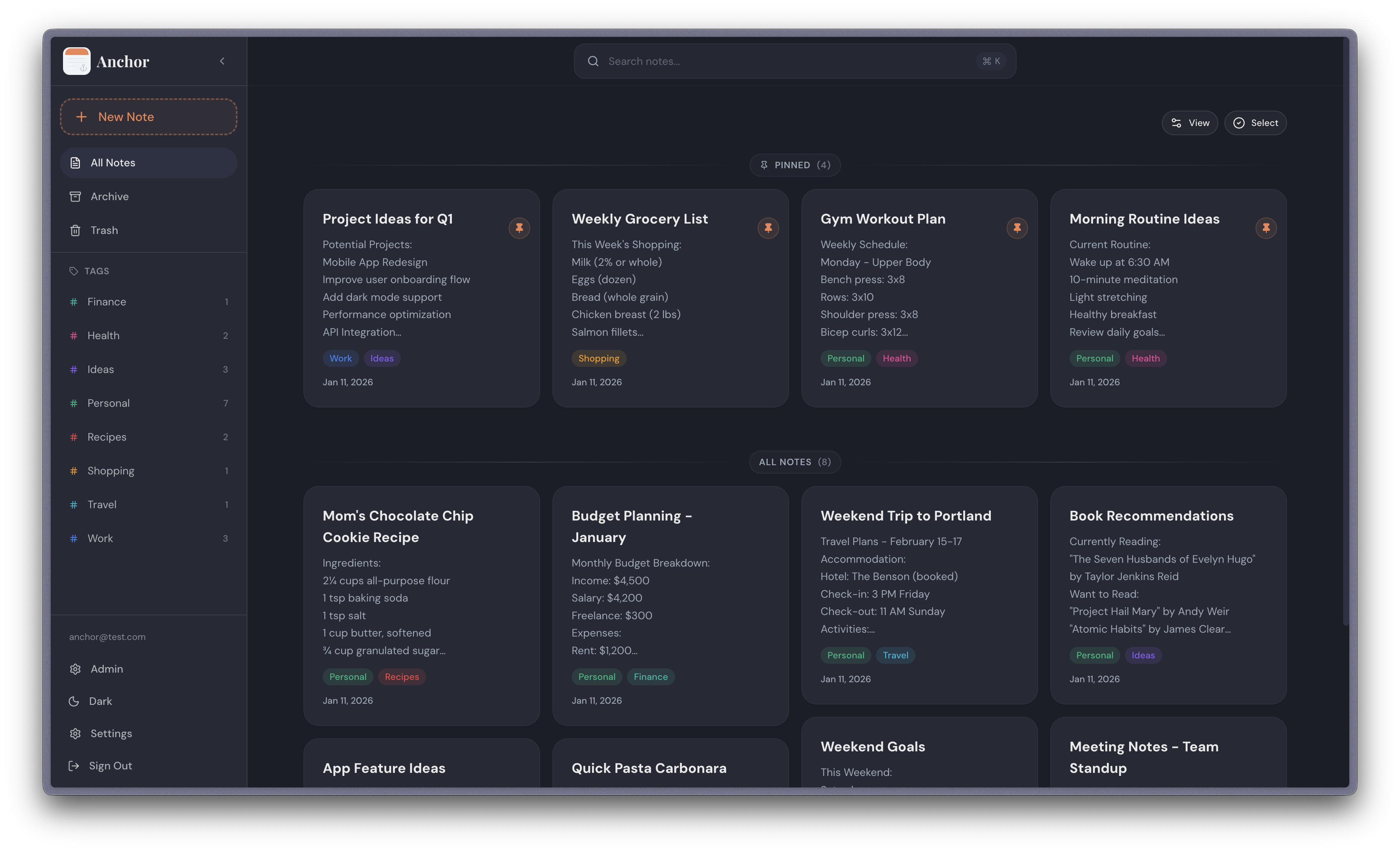
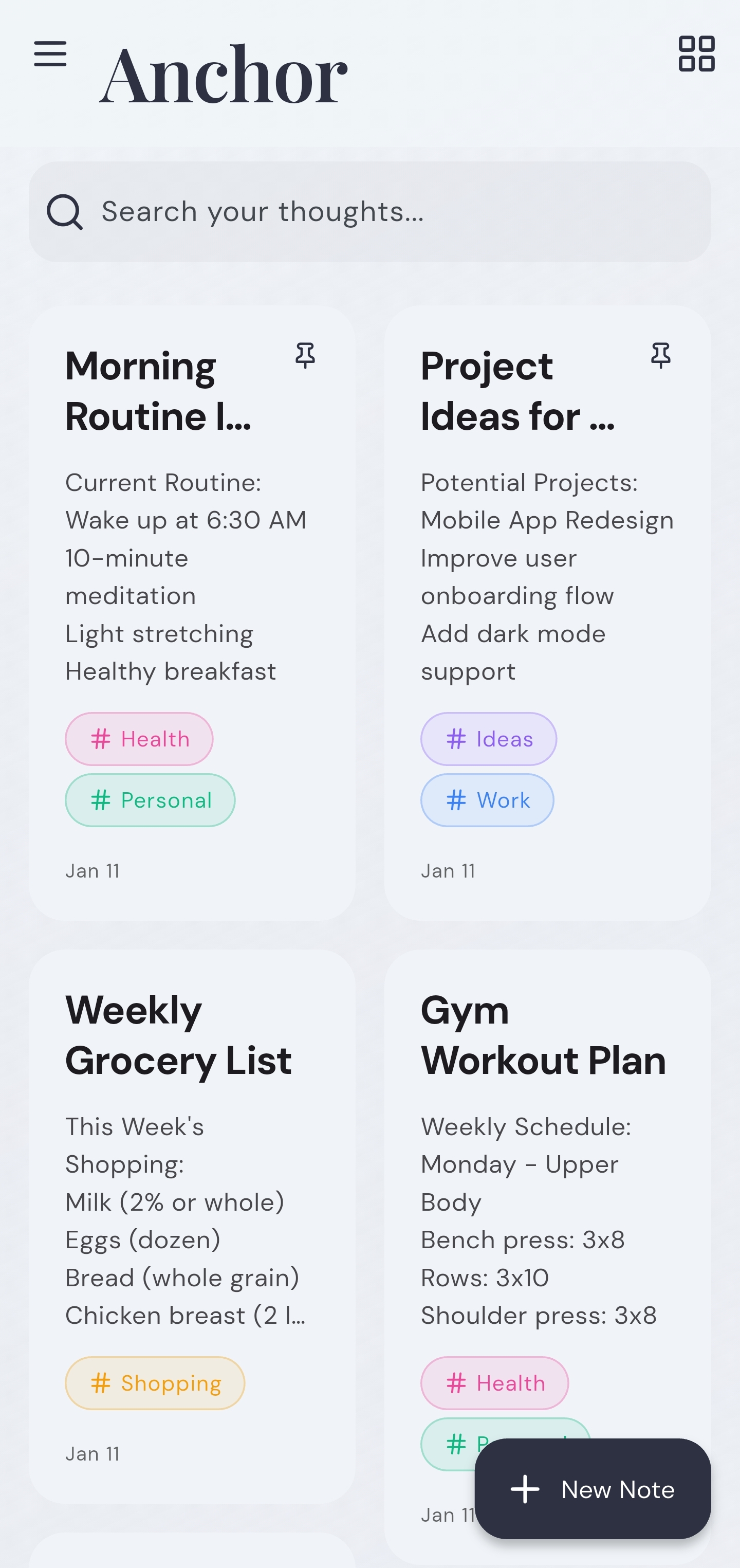
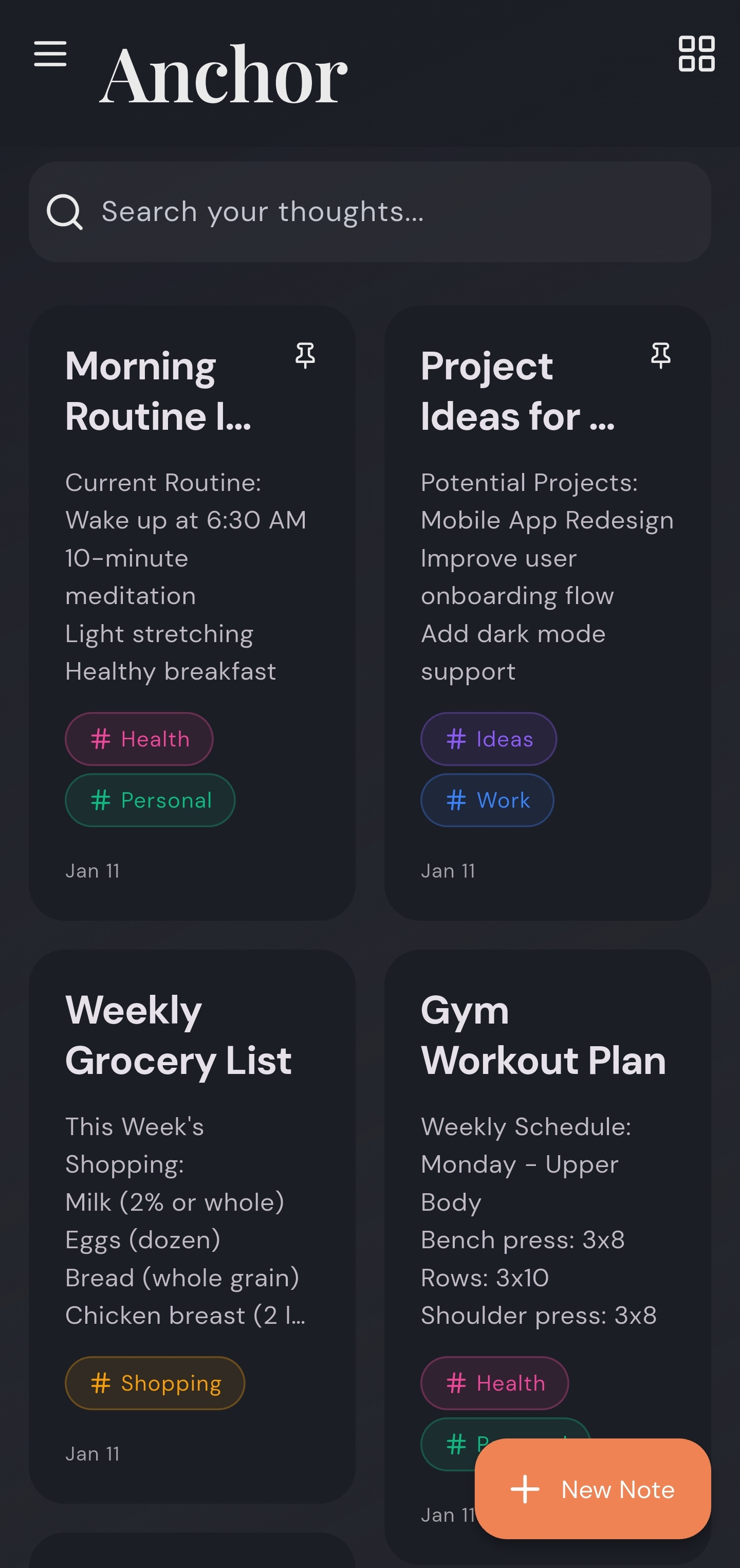
Screenshots
Web App
Mobile App
Self Hosting With Docker
Option 1: Using Pre-built Image (Recommended)
-
Create a
docker-compose.ymlfile:services: anchor: image: ghcr.io/zhfahim/anchor:latest container_name: anchor restart: unless-stopped ports: - "3000:3000" volumes: - anchor_data:/data volumes: anchor_data: -
(Optional) Configure environment: Add environment variables to the
environmentsection. Most users can skip this step - defaults work out of the box.Available options: | Variable | Required | Default | Description | |----------|----------|---------|-------------| |
APP_URL| No |http://localhost:3000| Base URL where Anchor is served | |JWT_SECRET| No | (auto-generated) | Auth token secret. Min 16 characters when set | |DATA_DIR| No |/data| Root directory for persisted uploads | |CORS_ORIGINS| No | (allow all) | Comma-separated allowlist of CORS origins | |PG_HOST| No | (empty) | External Postgres host (leave empty for embedded) | |PG_PORT| No |5432| Postgres port | |PG_USER| No |anchor| Postgres username | |PG_PASSWORD| No |password| Postgres password | |PG_DATABASE| No |anchor| Database name | |USER_SIGNUP| No | (not set) | Sign up mode:disabled,enabled, orreview. If not set, admins can control it via the admin panel | |OIDC_ENABLED| No | — | Enable OIDC authentication | |OIDC_PROVIDER_NAME| No |"OIDC Provider"| Display name for the login button | |OIDC_ISSUER_URL| When OIDC enabled | — | Base URL of your OIDC provider | |OIDC_CLIENT_ID| When OIDC enabled | — | OIDC client ID | |OIDC_CLIENT_SECRET| No | — | OIDC client secret. Omit for public client (PKCE) | |DISABLE_INTERNAL_AUTH| No |false| Hide local login form when OIDC is enabled (OIDC-only mode) | -
Start the container:
docker compose up -d -
Access the app: Open http://localhost:3000
Pre-release (Beta) Image
To test upcoming features before they are officially released, use the next tag:
services:
  anchor:
    image: ghcr.io/zhfahim/anchor:next
    container_name: anchor
    restart: unless-stopped
    ports:
      - "3000:3000"
    volumes:
      - anchor_data:/data

volumes:
  anchor_data:
Warning: The
nextimage is built from thenextbranch and may contain incomplete features or breaking changes. Do not use it in production. Back up your data before switching.
Option 2: Building from Source
If you want to build from source or customize the image:
-
Clone the project:
git clone https://github.com/zhfahim/anchor.git cd anchor -
Start the container:
docker compose up -dThe
docker-compose.ymlfile will build the image from source automatically.
Mobile App
Download the Android mobile app.
-
Visit the releases page: Go to GitHub Releases.
-
Download the latest release: Multiple APK files are available:
- Universal APK (
anchor-{version}.apk) - Recommended for most users, works on all devices - Architecture-specific APKs - Smaller file sizes for specific CPU architectures
- Universal APK (
OIDC Authentication
Anchor supports OpenID Connect (OIDC) authentication for simplified credential management and streamlined multi-user deployments.
Features
- Support for standard OIDC providers (Pocket ID, Authelia, Authentik, Keycloak, etc.)
- Configuration via environment variables or admin settings UI
- OIDC only mode: disable local username/password login
- Support for public OIDC clients (PKCE, no client secret required)
- Auto create users on first login (if user signup is not disabled)
- Auto link existing users by email
Configuration
Mobile app and Public client
If you want to use OIDC in the mobile app, configure Anchor as a Public client (PKCE, no client secret) in your OIDC provider. Add this redirect URI in your OIDC provider:
anchor://oidc/callback
Required Callback URL (Web)
When configuring your OIDC provider for web login, add this callback/redirect URL:
{APP_URL}/api/auth/oidc/callback
For example, if your Anchor instance is at https://notes.example.com, the callback URL would be:
https://notes.example.com/api/auth/oidc/callback
Environment Variables
Configure OIDC via environment variables in your docker-compose.yml. Pocket ID example:
services:
  anchor:
    image: ghcr.io/zhfahim/anchor:latest
    environment:
      - OIDC_ENABLED=true
      - OIDC_PROVIDER_NAME=Pocket ID
      - OIDC_ISSUER_URL=https://pocketid.example.com
      - OIDC_CLIENT_ID=your-client-id
      - OIDC_CLIENT_SECRET=your-client-secret # Optional for public clients
      - DISABLE_INTERNAL_AUTH=false
      - APP_URL=https://notes.example.com
Admin UI Configuration
Alternatively, configure OIDC via the admin panel (Settings → OIDC Authentication) when the three env vars are not all set.
Backup and Restore
Log into your Anchor deployment, go to Settings, scroll to Export & Import and export Anchor backup (.zip).
The resulting anchor-export-YYYY-MM-DD.zip contains:
manifest.jsonwhich includes the backup metadata, tags, notes, and attachment references in plain text- the referenced attachments, stored within the
attachmentsfolder structure
Restore the notes by uploading that file through the web UI. Go to Settings, then scroll down to the Export & Import section.
Troubleshooting & Collecting Logs
Anchor never collects any data. When you need to report a bug, you can collect logs yourself and share them with the maintainer.
Mobile app
- Reproduce the issue.
- Open Settings → View Logs.
- Tap the Export button at the bottom, then share the saved
.logfile in your bug report.
Sensitive values are stripped before anything is written to the log file. This includes authorization headers, passwords, tokens, refresh tokens, secrets, and email addresses, which are always replaced with
***.
Logs are stored locally on the device only (rolling, ~2 MB max).
Roadmap
Future planned features:
- Real-time collaboration
Tech Stack
- Backend: Nest.js, PostgreSQL, Prisma
- Mobile: Flutter
- Web: Next.js, TypeScript
Contributing
- Fork the repository
- Create a feature branch:
git checkout -b feature/your-feature - Make your changes
- Ensure builds pass and code is linted:
- Web:
cd web && pnpm build && pnpm check - Server:
cd server && pnpm build && pnpm check
- Web:
- Commit changes:
git commit -m "Describe your change" - Push and create a Pull Request
Code style
Linting and formatting are enforced in CI and by a pre-commit hook
(.githooks/pre-commit) that checks staged files.
Running pnpm install in either web or server
enables the hook automatically (via the prepare script). To enable it manually:
git config core.hooksPath .githooks
Before committing, fix issues with pnpm check:fix in the relevant project.
Support
If you find Anchor useful, consider supporting its development:

License
This project is licensed under the GNU Affero General Public License v3.0 (AGPL v3) - see the LICENSE file for details.