

- CSS 82.2%
- JavaScript 13.4%
- Markdown 3%
- JSON 1.1%
- XML 0.2%
MeshCentral Stylish UI







A modern UI theme for MeshCentral, enhancing the default interface with improved responsiveness, refined layouts, and consistent design elements.
🌐 Demo Server
You can try MeshCentral Stylish UI live on our demo instance.
Click the image below to open the demo

Credentials:
- Username:
demo - Password:
demo
- The demo environment is for visual testing only — please don’t store real data.
- The system is reset periodically.
- Some administrative features are disabled for security reasons.
🖼️ Screenshots
History Tabs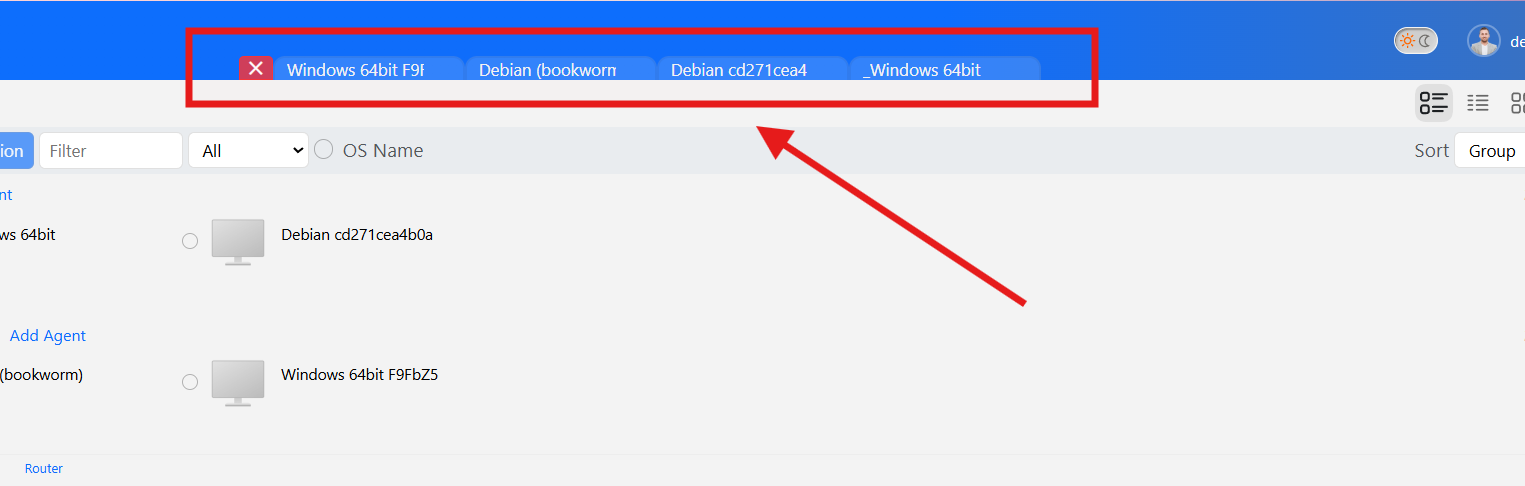
|
|
|
Context Menu Dropdown |
Notifications Redesign |
|
Leftbar New Icons |
TopBar Icons |
|
Power Graph |
|
My Server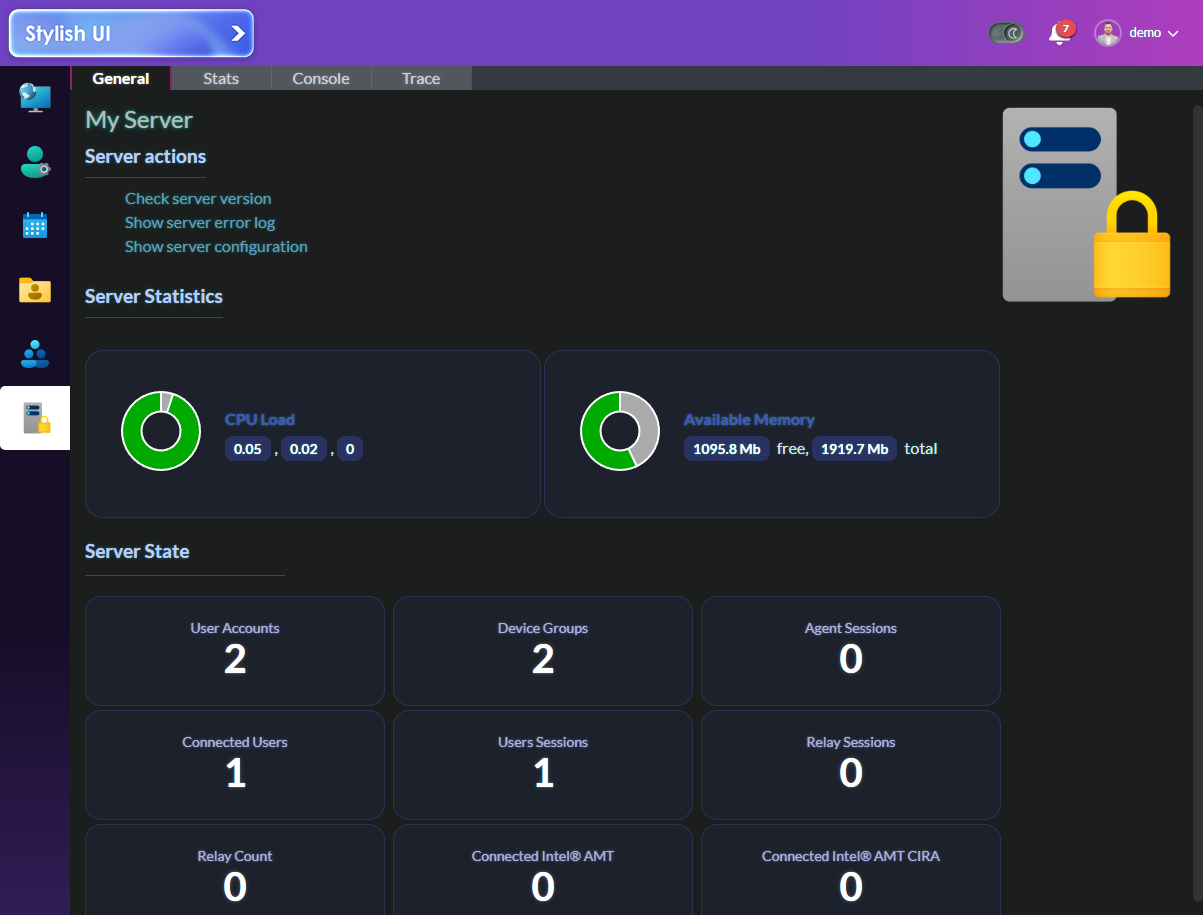
|
|
|
Themed Bars |
|
🎬 Demo Video
https://github.com/user-attachments/assets/196fe810-c98a-429c-9b7e-df52c22b79c6
https://github.com/user-attachments/assets/99ee512d-064a-4226-a5e5-0ba5588302b3
And much, much more...
📦 Structure
meshcentral-data/
meshcentral-web/
└── public/
    ├── images/
    └── styles/
        └── custom.css
    └── scripts/
        └── custom.js
- images/ → Contains all custom image assets.
- styles/custom.css → Compiled file that combines all component-level styles.
- styles/components/ → Individual CSS files, separated by customization type.
- scripts/custom.js → Empty script file that allows you to add custom JavaScript functionality.
⚙️ How to Apply
Click to expand
General
1. If it doesn’t exist yet, create the meshcentral-web/ folder in the MeshCentral root directory — alongside meshcentral-data/-
Create the following subfolders inside meshcentral-web/ if they don’t already exist:
meshcentral-web/public/images/ meshcentral-web/public/styles/ meshcentral-web/public/scripts/ -
Copy all files from
images/to:meshcentral-web/public/images/ -
Copy
styles/custom.cssto:meshcentral-web/public/styles/custom.css -
Copy
scripts/custom.jsto:meshcentral-web/public/scripts/custom.js -
Change to Modern UI
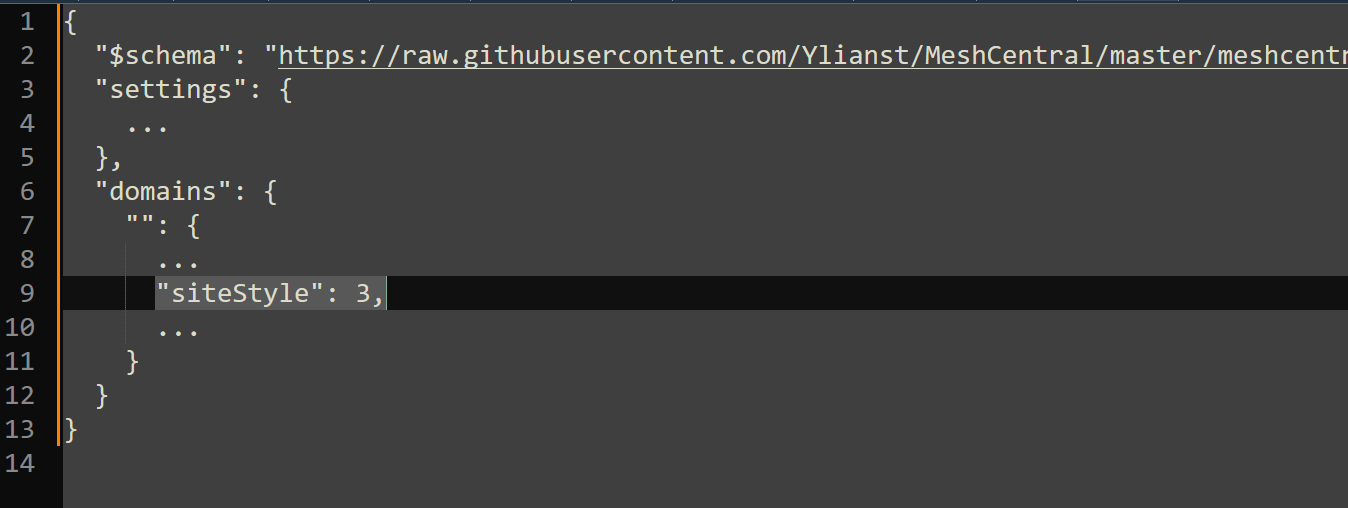
PS: You can also make Modern UI the default for all users by editing the meshcentral-data/config.json file and adding the following line under the default domain at "domains" section:
"siteStyle": 3,
- Refresh your browser (CTRL + SHIFT + R)
The files under
styles/components/are for reference only.
Use them if you prefer to apply specific parts of the customization instead of the fullcustom.css.
Docker
With Docker, you can simply add environment flags to apply Stylish UI.The MeshCentral entrypoint will automatically download the compatible Stylish UI version for your server.
You may choose to keep the meshcentral-web folder persistent or not.
Environment flags:
INSTALL_STYLISHUI=true
STYLISHUI_FORCE_LATEST=true
When STYLISHUI_FORCE_LATEST=true, the container always downloads the latest Stylish UI commits, regardless of the MeshCentral version.
When STYLISHUI_FORCE_LATEST=false, the container downloads the Stylish UI version compatible with your MeshCentral version.
Docker compose:
version: 'x.x'
services:
meshcentral:
  image: ...
  environment:
    - INSTALL_STYLISHUI=true
    - STYLISHUI_FORCE_LATEST=true
  volumes:
    ...
  ports:
    ...
  networks:
    ...

volumes:
...

networks:
...
🧩 Components Overview
| File | Description |
|---|---|
| Background.css | Background visuals and transparency effects |
| ColumnsAndListView.css | List and column layout adjustments |
| Device-GeneralPage.css | Device details and general page styling |
| DropDownContextMenu.css | Dropdown and context menu enhancements |
| LeftBarCustomIcons.css | Custom icons for the left navigation bar |
| LeftBarShrinkAndColors.css | Compact mode and color adjustments for the left bar |
| LittleStuff.css | Minor UI refinements and miscellaneous tweaks |
| LoginPage.css | Login screen layout and visuals |
| Masthead.css | Header (masthead) styling |
| MenuIcons.css | Custom Menu Icons |
| MobileStyles.css | Mobile styling |
| MyEvents.css | Events section customization |
| MyServerButton.css | Styling for the “My Server” button |
| Notifications.css | Visual adjustments for notifications |
| TopBar.css | Main top bar styling |
| TopMenu.css | Main Menu mobile view themed |
| UIMenu.css | General UI menu styling |
🧠 Notes
- The
custom.cssfile is safe to overwrite at any time. - Always back up your
/meshcentral-web/folder before updating.
🏅 Credits
• Pjotr - dear friend and the inspiration behind this project
• TheDevRyan — outstanding contributions throughout the project
• GlitchedCod — for most of the icons
• Simon — for general guidance
• MeshCentral — the ultimate RMM solution!
• MeshCentral @OpenHub — About MeshCentral
Built with ❤️ by Melo
Feedback? Open an issue or star the repo!